Protect Yourself From Electronic Benefits Transfer (EBT) Fraud
Lock Your EBT Card To Stop Theft
Marylanders now have a quick and easy way to protect their Electronic Benefits Transfer (EBT) cards. Use the new Card Lock/Unlock feature to secure your food and cash benefits today.
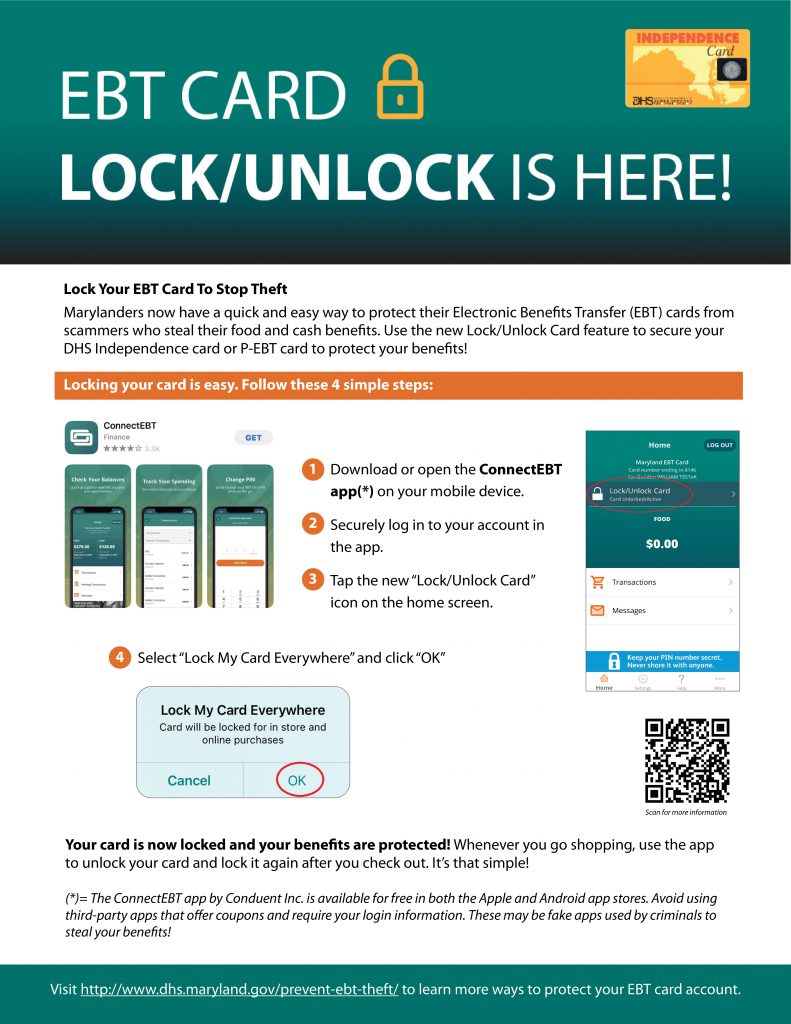
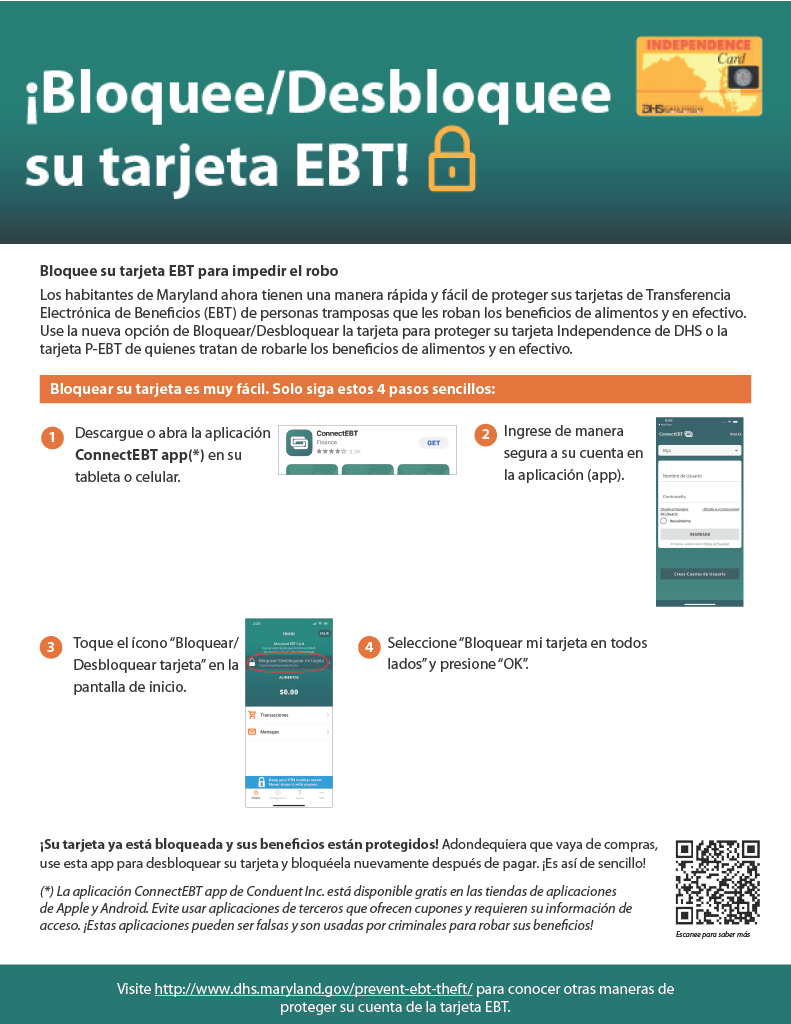
Locking your card is easy! Follow these 4 simple steps:
-
Download or open the ConnectEBT app(*) on your mobile device.
-
Securely log in to your account in the app.
-
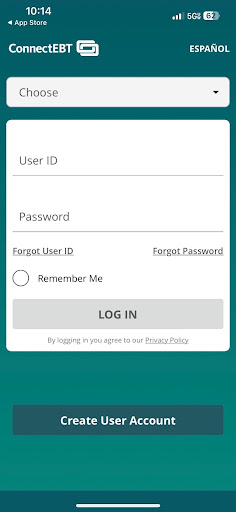
Tap the new “Lock/Unlock Card” icon on the home screen.
-
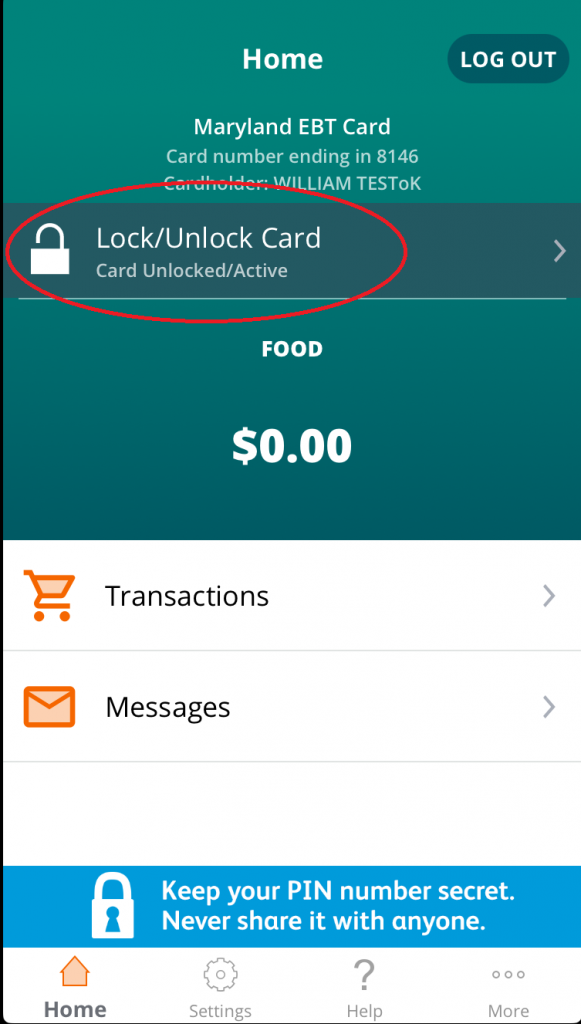
Select “Lock My Card Everywhere” and click “OK”
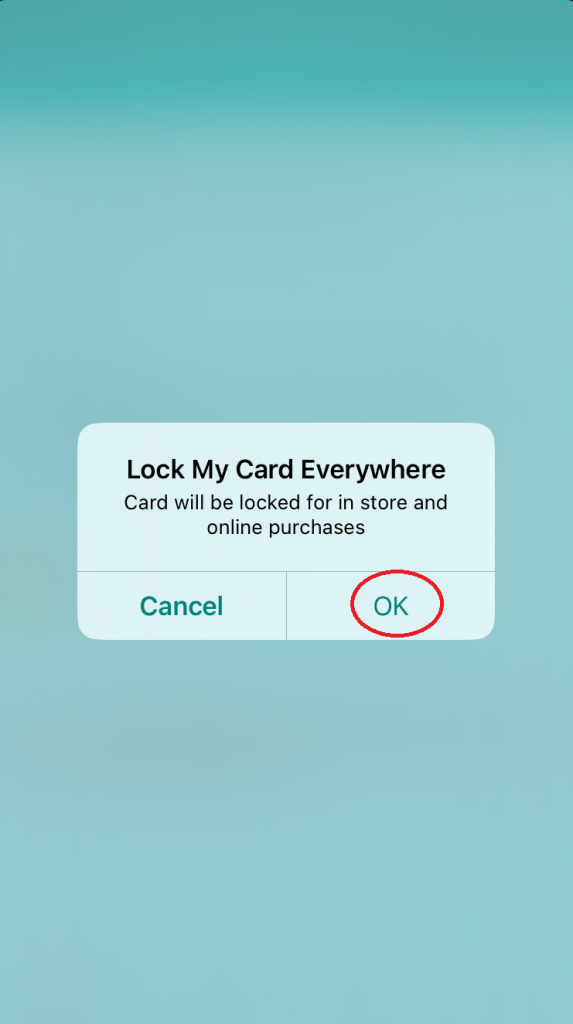
Your card is now locked and your benefits are protected! Whenever you go shopping, use the ConnectEBT app to unlock your card and lock it again after you check out. It’s that simple!
(*)= The ConnectEBT app by Conduent Inc. is available for free in both the Apple and Android app stores. Please avoid using third-party apps that offer coupons and require your login information. These may be fake apps used by criminals to steal your benefits!
[su_spacer]
[su_row]
[su_column size=”1/2″]
[/su_column]
[su_column size=”1/2″]
[/su_column]
[/su_row]
[su_spacer]
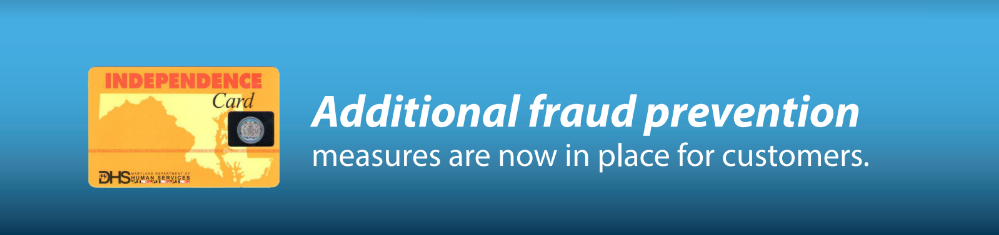
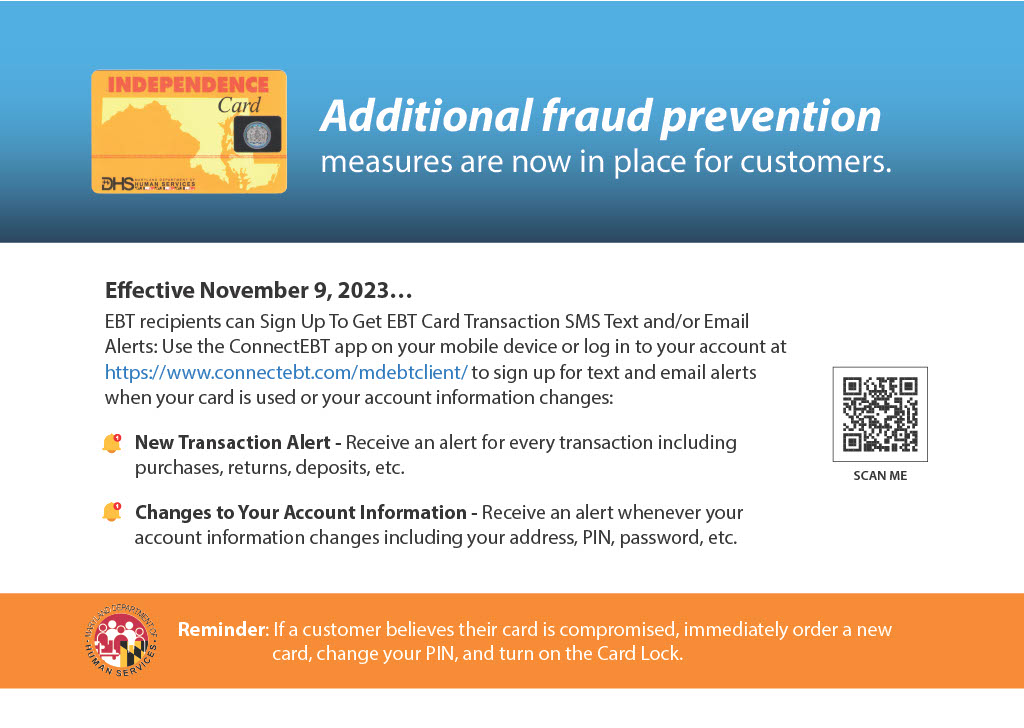
Protect your food and cash benefits. Sign up today for EBT Card Transaction SMS Text or Email Alerts. Go to the ConnectEBT app on your mobile device or log in to your account at https://www.connectebt.com/mdebtclient/ to sign up to receive notifications when your card is used or your account information changes:
[su_accordion]
[su_spoiler title=”What kind of alerts can I receive?”]
You can sign up for a New Transaction Alert for every transaction you make, including purchases, returns, deposits, etc.
You may also receive alerts to notify you of Changes to Your Account Information such as your address, Personal Identification Number (PIN), or password.
[/su_spoiler]
[su_spoiler title=”How will I receive the alerts?”]
You can choose how you want to receive alerts. Select one of three options in the Mobile App under the displayed text, “How do you want to receive alerts?” The options are:
- Mobile app (this is selected by default)
- Text message
[/su_spoiler]
[su_spoiler title=”What other information can I receive in the alert message when I make a purchase?”]
When your card is used for a new purchase, you will receive the following information in the alert:
- Merchant name
- Location (City, State) or “This was an online/telephone transaction” (if it was a card-not-
present transaction) - Date of transaction
- Purchase amount
- Remaining SNAP/food balance
- Remaining cash balance
[/su_spoiler]
[su_spoiler title=”Will I receive an alert when cashback is made with a purchase on my card?”]
Yes. Transactions that include cash back or withdrawals may include the following information:
- Merchant Name
- Location (City, State)
- Date of transaction
- Amount of purchase
- Amount of cashback
- Remaining SNAP/food balance
- Remaining cash balance
- If the transaction type is a Cash Withdrawal, the alert will also include the amount of the Cash Withdrawal and any fees.
[/su_spoiler]
[su_spoiler title=”Will I receive an alert when a deposit is made to my card?”]
Yes. For each deposit made to your card, you will be notified of the following:
- Date of deposit
- Amount of deposit
- Available SNAP/Food Balance, and
- Available Cash Balance
[/su_spoiler]
[su_spoiler title=”What other alerts can I get?”]
You may choose to receive alerts for “Changes to Your Account Information” when any of the following information changes:
Personal Identification Number (PIN). If you did not request a new PIN or change your PIN, please use Mobile App to change your PIN.
Email Address. Your email address was just changed from an old email to a new email. If you did not request a change to your email address, please verify or change your email
Password. Your password was just changed. If you did not request a change to your password, Please change your password
Phone Number. Your phone number was just changed from an old phone to a new phone number. If you did not request a change to your phone number, please change your telephone number
[/su_spoiler]
[su_spoiler title=”Can I lock my card if my account was used elsewhere without my permission?”]
Yes. The EBT Lock My Card Everywhere function prevents your card from being used in-state, out-of-state, or for internet transactions if you suspect the theft og your food or cash benefits.
[/su_spoiler]
[su_spoiler title=”What do I do if I suspect that my EBT benefits card was accessed or used without my consent?”]
Don’t delay! If you think that your card has been used without your consent, cancel the card immediately, and order a new EBT card today. Call Maryland EBT at 1-800-997-2222 to report the card stolen, and request a new EBT card; 24 hours a day 7 days a week. You should also: Change your Person Identification Number (PIN).
You can also set up an appointment at your local Department of Social Services (LDSS) by calling the DHS Call Center at 1-800-322-6347 to pick up an EBT vault card.
[/su_spoiler]
[/su_accordion]
[su_spacer]
[su_row]
[su_column size=”1/2″]
[/su_column]
[su_column size=”1/2″]

[/su_column]
[/su_row]
[su_spacer]
Do you suspect your EBT benefits card was accessed or used without your consent?
Don’t delay! Cancel your card immediately, and order a new EBT card today.
- Call Maryland EBT at 1-800-997-2222 to report the card stolen, and request a new EBT card; 24 hours a day 7 days a week.
- Change your Person Identification Number (PIN).
- You can also set up an appointment at your local department of social services (LDSS) by calling the DHS Call Center at 1-800-322-6347 to pick up an EBT vault card.
Protect Your Electronic Transfer Benefits Card From Theft
The Maryland Department of Human Services wants to alert you to recent telephone, email, and text message scams targeting individuals, families and seniors who receive public benefits like SNAP and Cash Assistance, and ways to protect yourself.
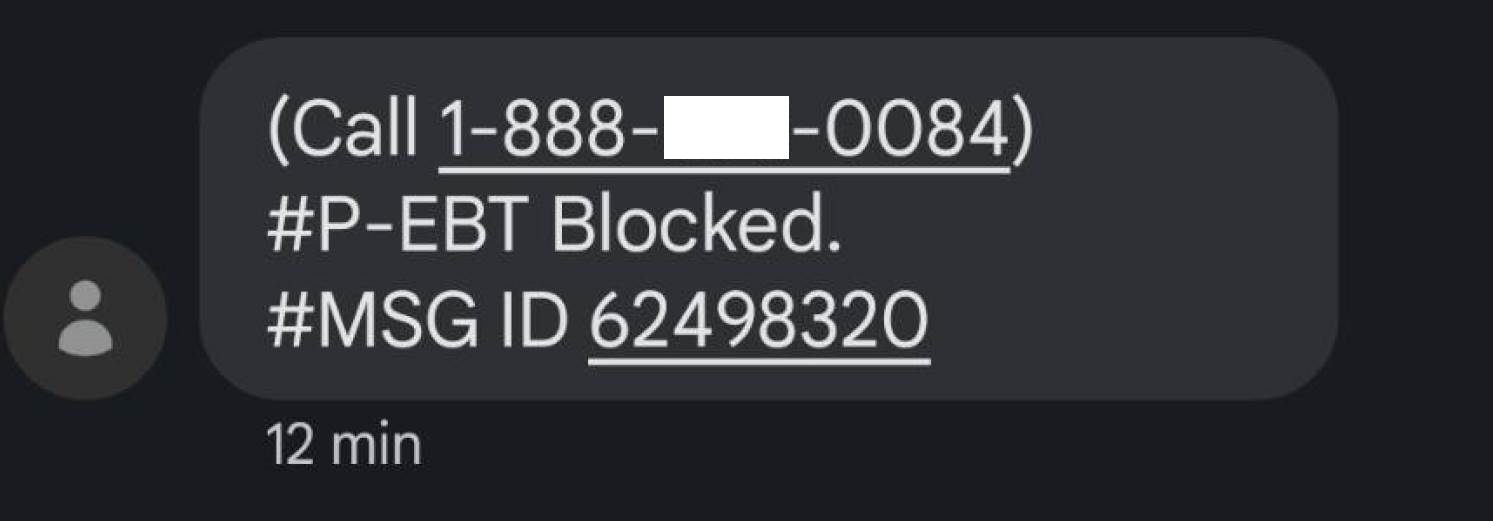
Criminals send SMS messages suggesting that the EBT recipient’s card is blocked, and that the recipient should call a fake toll free number to verify their account. An interactive message on the fake help line instructs callers to enter their EBT card number and other personal information.
BEWARE! These are scams to steal your benefits!
Sample Spam Text Message
[su_spacer size=”20″]
Example of a Real Scam Call Message: |
|---|
We urge you to ignore those text messages and to always refrain from providing any personal information via unverified phone lines. Doing so could allow a thief to steal your identity and your benefits. If you called an unverified number and entered Personal Identifiable Information, please do the following:
TTY (Deaf/Hard of Hearing): 1-800-735-2258 |
Available Resources:
- Federal Partners Scam/Fraud Alerts Supplemental Nutrition Assistance Program (SNAP)
- Get Reimbursed for Stolen SNAP and Cash benefits
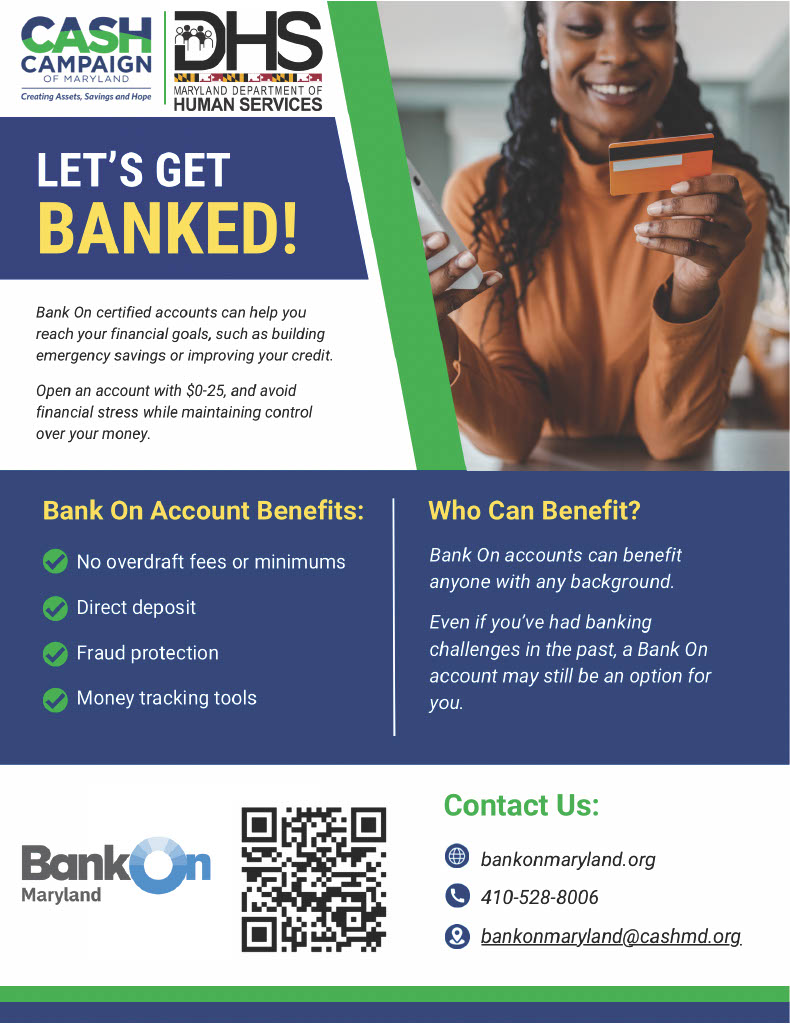
Sign Up For Direct Deposit of Cash Benefits
[su_row]
[su_column size=”1/2″]
[/su_column]
[su_column size=”1/2″]